
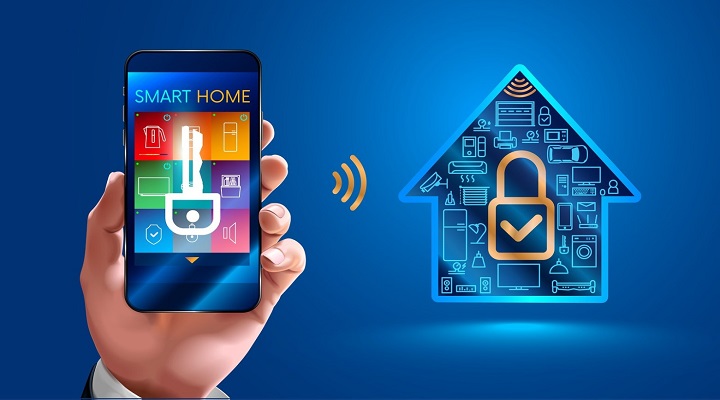
Safeguarding Your Smart Sanctuary: Essential IoT Security Best Practices for Home Devices
In an increasingly interconnected world, your home has become a hub of intelligent devices, from smart thermostats and voice assistants to security cameras and automated lighting. While these innovations offer unparalleled convenience and efficiency, they also introduce a unique set of cybersecurity risks. Protecting your digital sanctuary is no longer just about locking your front door; it's about fortifying your entire smart home ecosystem. This comprehensive guide delves into essential IoT security best practices for protecting smart home devices, empowering you to mitigate vulnerabilities and ensure your personal data remains private and secure. As an SEO expert, we understand the critical need for robust digital defenses in this evolving landscape, ensuring your connected life is both convenient and safe.
Understanding the Smart Home Security Landscape
The proliferation of Internet of Things (IoT) devices has transformed our living spaces, but this convenience comes with inherent challenges. Each connected device, from a smart doorbell to a robotic vacuum, represents a potential entry point for malicious actors. Unlike traditional computing devices, many IoT gadgets are designed for simplicity and low cost, often neglecting robust security features during their development. This can lead to easily exploitable vulnerabilities, making strong IoT device protection a paramount concern. Understanding the common threats – such as unauthorized access, data breaches, and ransomware attacks – is the first step toward building a resilient defense.
Common IoT Security Vulnerabilities
- Weak Default Passwords: Many devices ship with easily guessable or universal default credentials.
- Lack of Encryption: Data transmitted between devices and the cloud may not always be adequately encrypted, exposing sensitive information.
- Outdated Firmware: Manufacturers often fail to provide timely security updates, leaving devices vulnerable to known exploits.
- Insecure Network Services: Open ports or unneeded services can create backdoors for attackers.
- Physical Tampering: Devices accessible to outsiders can be physically compromised.
- Insufficient Device Management: A lack of centralized control makes it hard to monitor and manage all connected devices effectively.
Establishing a Strong Foundation: Network Security
The bedrock of any secure smart home is a fortified home network. Your router acts as the gateway to your digital world, and securing it is non-negotiable. Without proper router security, even the most secure individual devices can be compromised. Think of your Wi-Fi network as the central nervous system for your smart home; if it's weak, the entire system is at risk.
Fortifying Your Wireless Router
- Change Default Credentials: Immediately change the default username and password for your router's administration panel. Use a strong, unique password that combines letters, numbers, and symbols.
- Update Router Firmware: Regularly check your router manufacturer's website for firmware updates. These updates often include critical security patches that address newly discovered vulnerabilities. Enable automatic updates if your router supports it.
- Enable WPA3 Encryption (or WPA2-AES): Ensure your Wi-Fi network uses the strongest possible encryption standard. WPA3 is the most secure, but if your devices don't support it, WPA2-AES is the next best option. Avoid WEP and WPA (TKIP) as they are easily crackable.
- Disable WPS (Wi-Fi Protected Setup): While convenient, WPS is known for security flaws that can allow attackers to gain access to your network. Disable it if not absolutely necessary.
- Change Default SSID (Network Name): Change your network's name from the default to something that doesn't identify your router brand or location.
- Create a Guest Network: Isolate guest devices from your main network. This prevents visitors from potentially accessing your smart home devices or sensitive data. For even greater security, consider network segmentation for your IoT devices.
Device-Level Security: Protecting Each Smart Gadget
Once your network is secure, the focus shifts to individual devices. Each smart device, no matter how small or seemingly innocuous, requires specific security attention. From smart plugs to connected cameras, every component contributes to your overall smart home cybersecurity posture.
Essential Device-Specific Safeguards
- Strong, Unique Passwords: This cannot be stressed enough. Never use default passwords. Use a unique, complex password for every smart device and associated online account. Consider using a password manager.
- Regular Firmware and Software Updates: Just like your router, smart devices receive security patches through firmware updates. Enable automatic updates where possible, or check manually at least once a month. This is crucial for security patch management.
- Enable Multi-Factor Authentication (MFA): If available, activate MFA for all smart device accounts and associated apps. This adds an extra layer of security, typically requiring a code from your phone in addition to your password.
- Review App Permissions: When installing smart device apps, pay close attention to the permissions they request. Does a smart light bulb app really need access to your contacts or location data? Grant only necessary permissions to protect your data privacy.
- Disable Unused Features: If a device has features you don't use (e.g., remote access, UPnP), disable them. Fewer active services mean fewer potential attack vectors.
- Physical Security: For devices like smart cameras or doorbells, ensure they are installed securely and are not easily tampered with or stolen.
Advanced Measures: Elevating Your IoT Defense
For those seeking to implement a more robust defense against sophisticated threats, several advanced strategies can significantly enhance your IoT device management and overall security. These steps move beyond the basics, offering deeper layers of protection.
Implementing Network Segmentation and Monitoring
One of the most effective advanced strategies is network segmentation. This involves creating separate, isolated networks within your home. By segmenting your IoT devices onto their own network, you can prevent a compromised smart device from affecting your personal computers or sensitive data on your main network. This is often achieved using a router with VLAN capabilities or by setting up a dedicated IoT-only Wi-Fi network.
Beyond segmentation, active monitoring is key. Consider using a network intrusion detection system (IDS) or a dedicated IoT security appliance that can monitor traffic for suspicious activity. These tools can alert you to unusual data patterns, unauthorized access attempts, or known threat intelligence signatures.
Considering a VPN for IoT Devices
While not universally applicable to all smart devices, a virtual private network (VPN) can add a layer of encryption standards for data transmission. Some routers allow you to configure a VPN at the router level, meaning all devices connected to that router (including IoT devices) will have their traffic routed through the VPN. This is particularly useful for devices that transmit sensitive data or if you're concerned about your ISP monitoring your IoT activity. However, be aware that it might introduce latency or compatibility issues with certain cloud-dependent services.
Regular Vulnerability Assessments
Periodically perform a vulnerability assessment of your smart home network. This can involve using network scanning tools (for advanced users) or simply reviewing your device inventory to ensure all devices are updated and securely configured. Some specialized IoT security services or apps can also help scan for known weaknesses in your connected devices.
Data Privacy and Responsible Device Usage
Beyond technical safeguards, understanding how your devices collect and use your data is paramount. Many smart devices gather extensive personal information, from voice commands and video feeds to location data and usage patterns. Protecting your data privacy IoT is as important as preventing unauthorized access.
- Read Privacy Policies: Before purchasing and setting up a device, take the time to read its privacy policy. Understand what data is collected, how it's used, and whether it's shared with third parties.
- Opt-Out of Data Sharing: Many devices and apps offer settings to opt-out of data sharing for marketing or research purposes. Exercise these options to minimize your digital footprint.
- Be Mindful of Voice Assistants: Voice assistants record and process your commands. Review privacy settings for these devices and consider deleting past recordings periodically.
- Secure Cloud Accounts: Smart devices often rely on cloud services. Ensure the cloud accounts linked to your devices are secured with strong, unique passwords and MFA.
- Consider Device Necessity: Before adding a new smart device, ask yourself if you truly need its "smart" features. Sometimes, a simpler, non-connected appliance is the more secure choice.
Ongoing Vigilance and Incident Response
Security is not a one-time setup; it's an ongoing process. The threat landscape constantly evolves, and so too must your defenses. Continuous monitoring and a plan for incident response are vital.
- Regular Security Audits: Periodically review all your smart devices and their settings. Are there any devices you no longer use? Disconnect or remove them. Are all devices still receiving updates?
- Stay Informed: Follow reputable cybersecurity news sources and manufacturer alerts for any new vulnerabilities affecting your devices.
- Backup Critical Data: While less common for IoT devices themselves, ensure any critical data stored on smart home hubs or associated systems is regularly backed up.
- Have an Incident Response Plan: If you suspect a device has been compromised (e.g., unusual activity, device behaving erratically), immediately disconnect it from the network, change all associated passwords, and investigate the cause. Contact the manufacturer if necessary.
Frequently Asked Questions
What are the biggest IoT security risks for smart home users?
The biggest IoT security risks stem from insecure defaults, lack of regular firmware updates, and weak authentication. Devices often come with easily guessable default passwords, making them prime targets for botnet attacks or unauthorized access. Furthermore, many manufacturers fail to provide timely security patches, leaving devices vulnerable to known exploits. Poor device authentication and insufficient data encryption also pose significant risks, potentially leading to data breaches and privacy violations.
How often should I update my smart home devices and router firmware?
You should aim to update your smart home devices and router firmware as soon as updates become available. For critical security patches, this could be immediately. For general feature updates, a monthly check is a good practice. Many modern devices and routers offer automatic update features; enabling these can significantly improve your security patch management and reduce your risk. If automatic updates aren't available, make a habit of manually checking the manufacturer's support website regularly.
Can a compromised smart device affect my entire home network?
Yes, absolutely. A compromised smart device can indeed act as a gateway for attackers to gain access to your entire home network. If your network is flat (meaning all devices are on the same segment), an attacker who compromises a vulnerable smart bulb, for instance, could then potentially scan and exploit other devices on your network, including your personal computers, smartphones, and sensitive data servers. This is why network segmentation is highly recommended to isolate IoT devices and contain potential breaches.
Is it safe to use a guest Wi-Fi network for my smart devices?
Using a guest Wi-Fi network for your smart devices is generally a good security practice, but it's important to understand its limitations. While it can isolate your IoT devices from your primary network (where your computers and sensitive data reside), a guest network itself might not offer full network segmentation capabilities. For true isolation, a router that supports VLANs (Virtual Local Area Networks) is preferable, allowing you to create a completely separate, dedicated network segment for your IoT devices. However, for most home users, a well-configured guest network is a significant step up in security.
What should I do if I suspect one of my smart home devices has been hacked?
If you suspect a smart home device has been hacked, immediate action is crucial. First, disconnect the device from your network (unplug it or disable its Wi-Fi). Next, change all associated passwords for that device's account and any linked cloud services. Check for any unusual activity in the device's logs or associated apps. Report the suspected breach to the device manufacturer and consider performing a factory reset on the device if possible. Finally, review your entire home network for other signs of compromise and ensure all other devices and your router are up to date and securely configured as part of your incident response plan.

0 Komentar